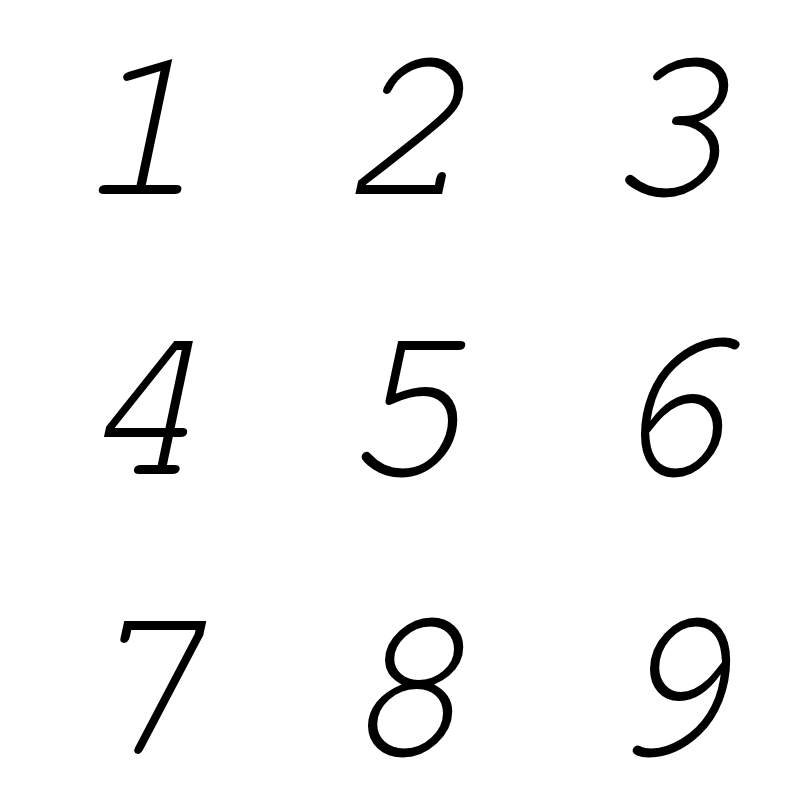
from PySFML import sf

class AnimatedSprite( sf.Sprite ):
    def __init__( self, image, columns=1, rows=1, sequence=None, columnwidth=None, rowheight=None ):
        super( AnimatedSprite, self ).__init__( image )

        totalwidth, totalheight = self.GetSize()

        if columnwidth: self.columnwidth = columnwidth
        else: self.columnwidth = int( totalwidth / columns )

        if rowheight: self.rowheight = rowheight
        else: self.rowheight = int( totalheight / rows )

        if sequence:
            self.sequence = sequence
        else:
            self.sequence = [ number for number in range( 1, ( columns * rows ) + 1 ) ]

        # create a frames list of column and row tuples
        self.frames = [ (x,y) for y in range( 1, rows + 1 ) for x in range( 1, columns + 1 ) ]

        self.current = self.tick = self.complete = 0

        # set the first frame
        self.Next( self.tick )

    def Next( self, tickrate = 12 ):
        """
        Pass an optional tickrate.
        If tick is greater or equal to tickrate:
        Move the Sub Rectangle or view to the Next position.
        Set complete to True when sequence finishes.
        """
        self.tick += 1

        if self.tick >= tickrate:

            self.tick = 0
            column, row = self.frames[ self.sequence[ self.current ] - 1  ]

            subrect = sf.IntRect(
                self.columnwidth * ( column - 1 ),
                self.rowheight * ( row - 1 ),
                self.columnwidth * column,
                self.rowheight * row
            )

            self.SetSubRect( subrect )

            self.current += 1
            if self.current >= len( self.sequence ):
                self.complete = True
                self.current = 0